Logged a dose with the wrong time, dosage, or injection site? You can fix any past dose without deleting and re-logging it.
Steps
Step 1
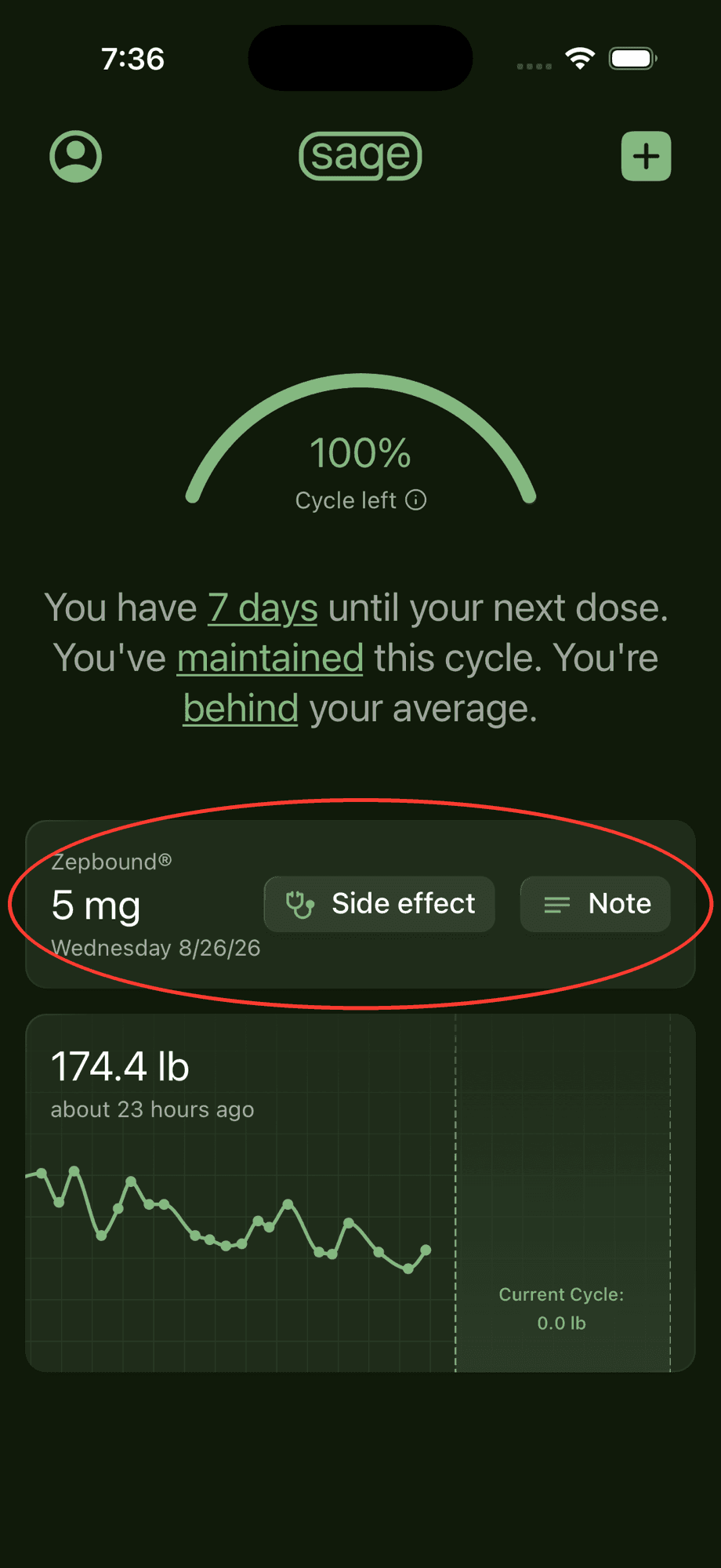
Open your Medication screen
From the home screen, tap your dose card (the card showing your last dose, with the Side effect and Note buttons).
Step 2
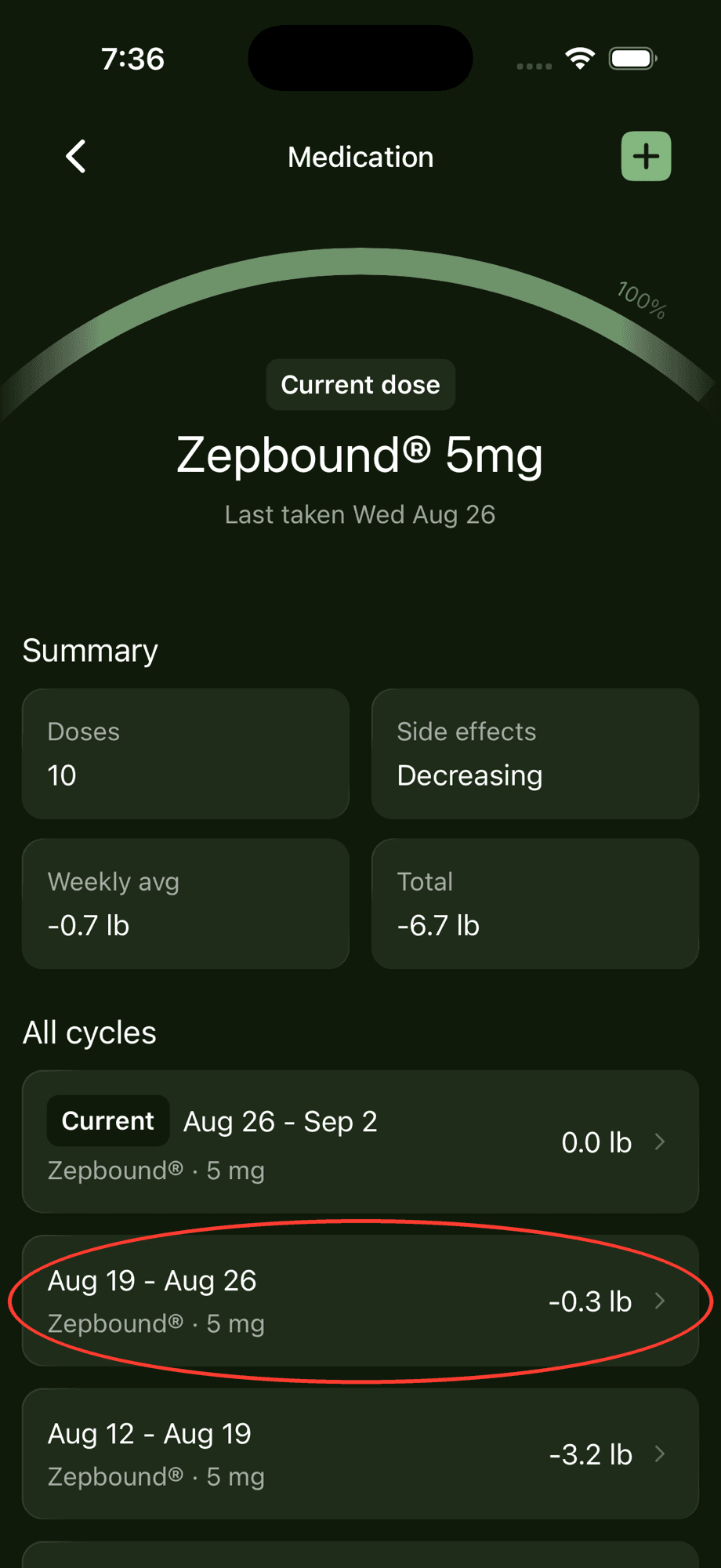
Pick the dose you want to edit
Scroll down to "All cycles". Each cycle starts with one dose, so tap the cycle for the dose you want to change.
Step 3
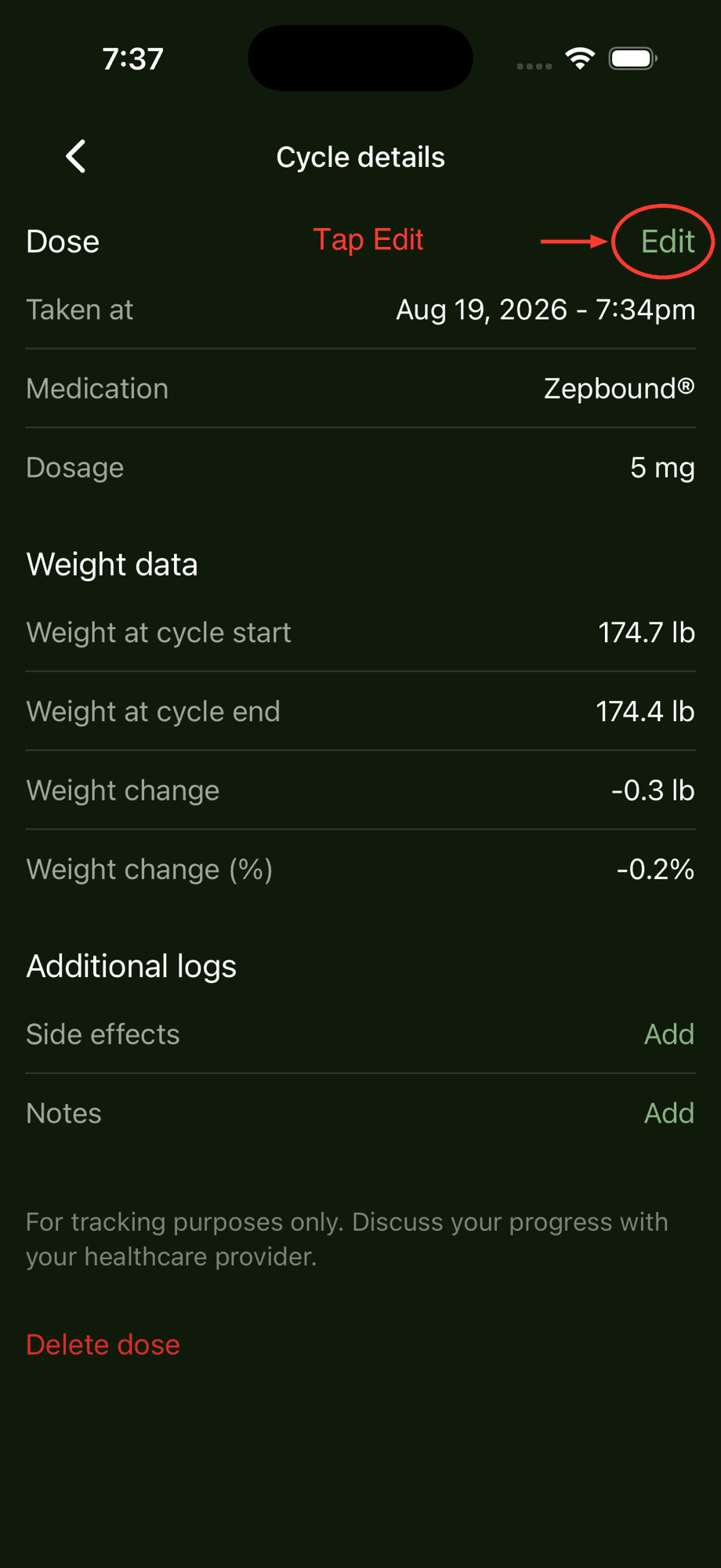
Tap "Edit"
On the "Cycle details" screen, tap "Edit" in the top-right corner of the Dose section.
Step 4
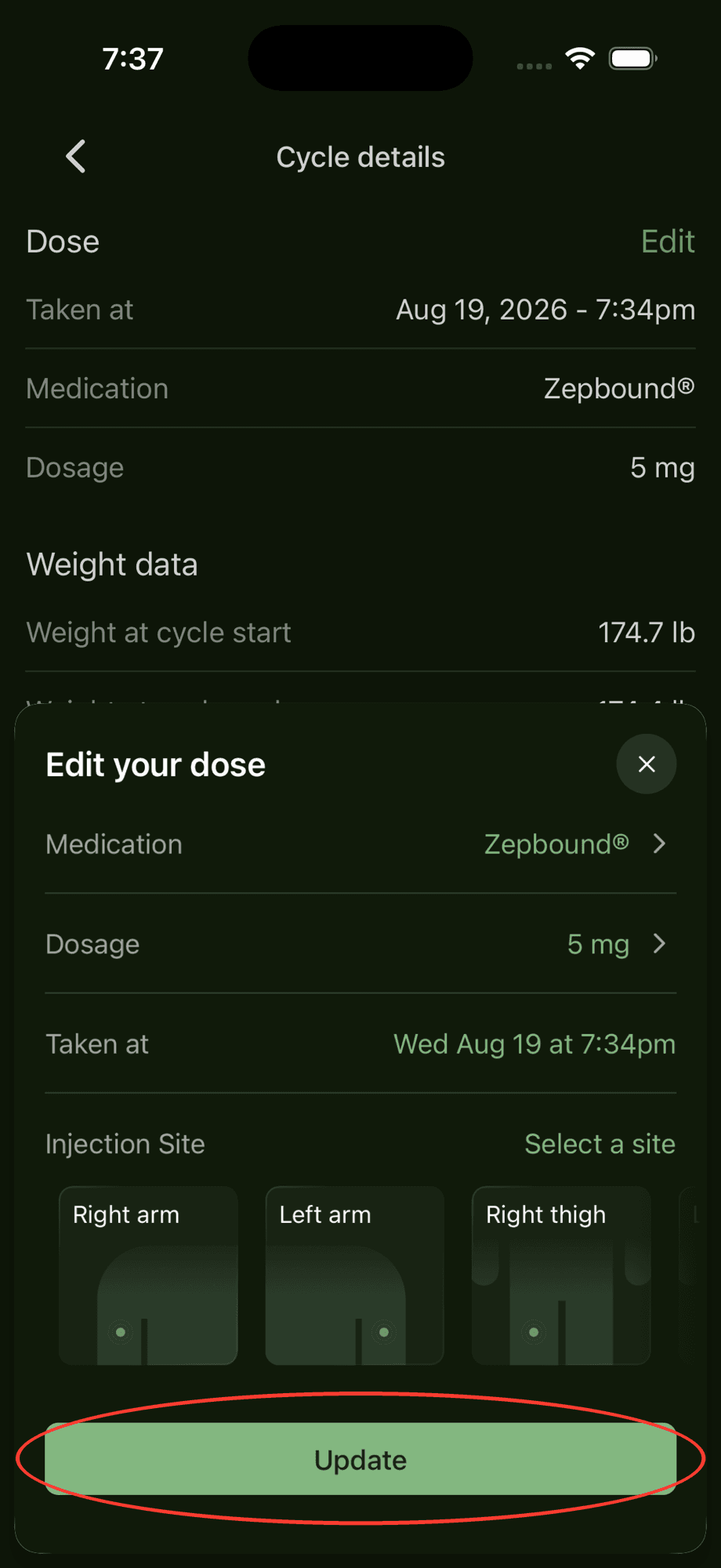
Make your changes and tap "Update"
Change the medication, dosage, time taken, or injection site as needed, then tap "Update". Only this dose is changed. Your other doses stay exactly as they were.
Good to know
Editing a dose only changes that one dose. If you want to switch medications going forward, log your next dose with the new medication instead.
Changing the time a dose was taken also updates the cycle it starts, so your cycle dates and weight change for that cycle will update to match.
Need to remove a dose entirely? Scroll to the bottom of the "Cycle details" screen and tap "Delete dose".
Need a hand? Email us and we'll help you out! We get back to most emails within hours.