How to delete a weight entry
Logged a weight by mistake? Here's how to remove a single entry from your weight history.
Before you start
Deleting a weight is permanent and can't be undone. The entry is also removed from Apple Health, so any other app that reads your weight from Apple Health will no longer see it.
Steps
Step 1
Open your Weight screen
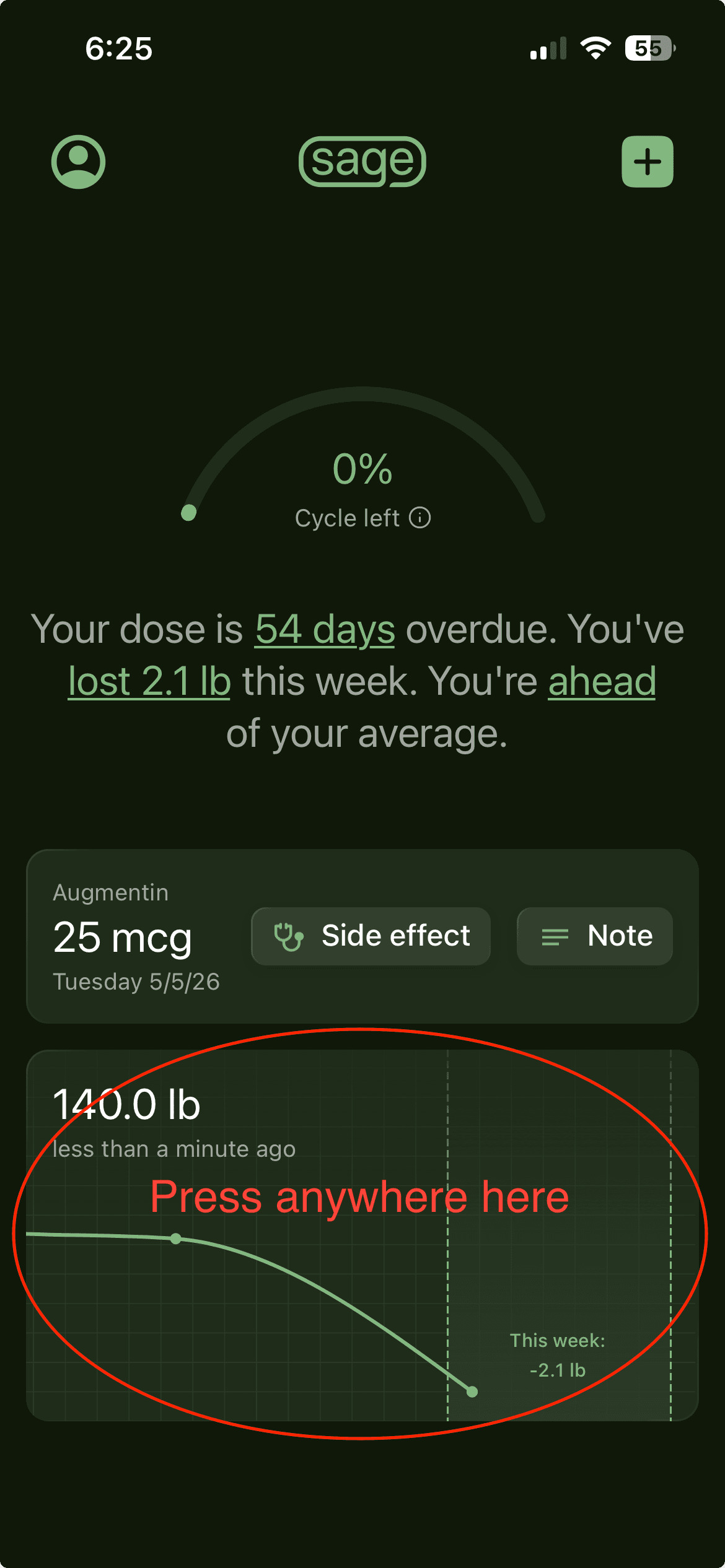
From the home screen, tap your weight card — the card showing your latest weight and recent weight history graph.
Step 2
Open your full weight history
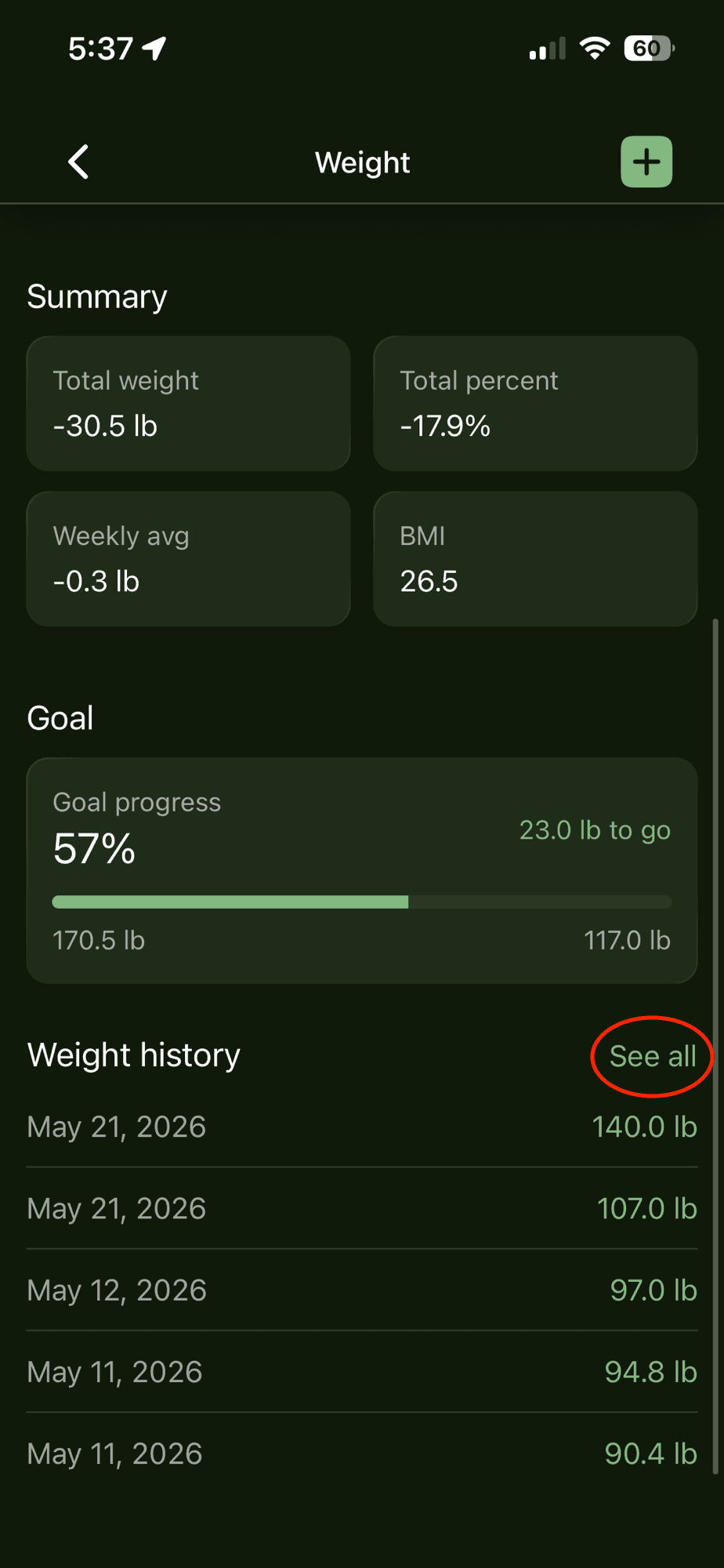
On the Weight screen, find the "Weight history" section and tap "See all" to open your complete list of entries. (You can also delete from the short list right here on this screen.)
Step 3
Tap the weight you want to delete
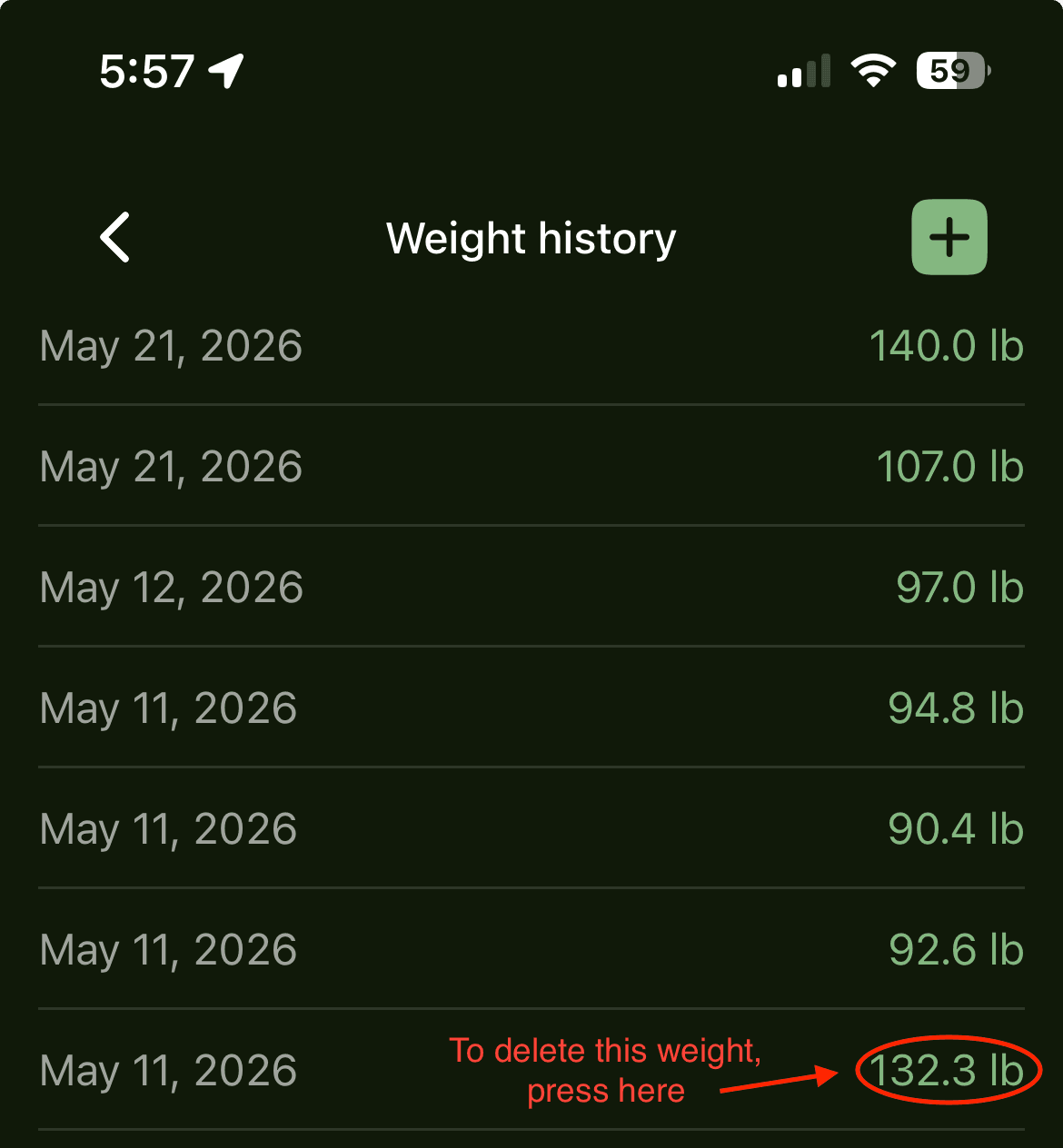
In the list, tap the weight value (the green number on the right) for the entry you want to remove.
Step 4
Confirm the deletion
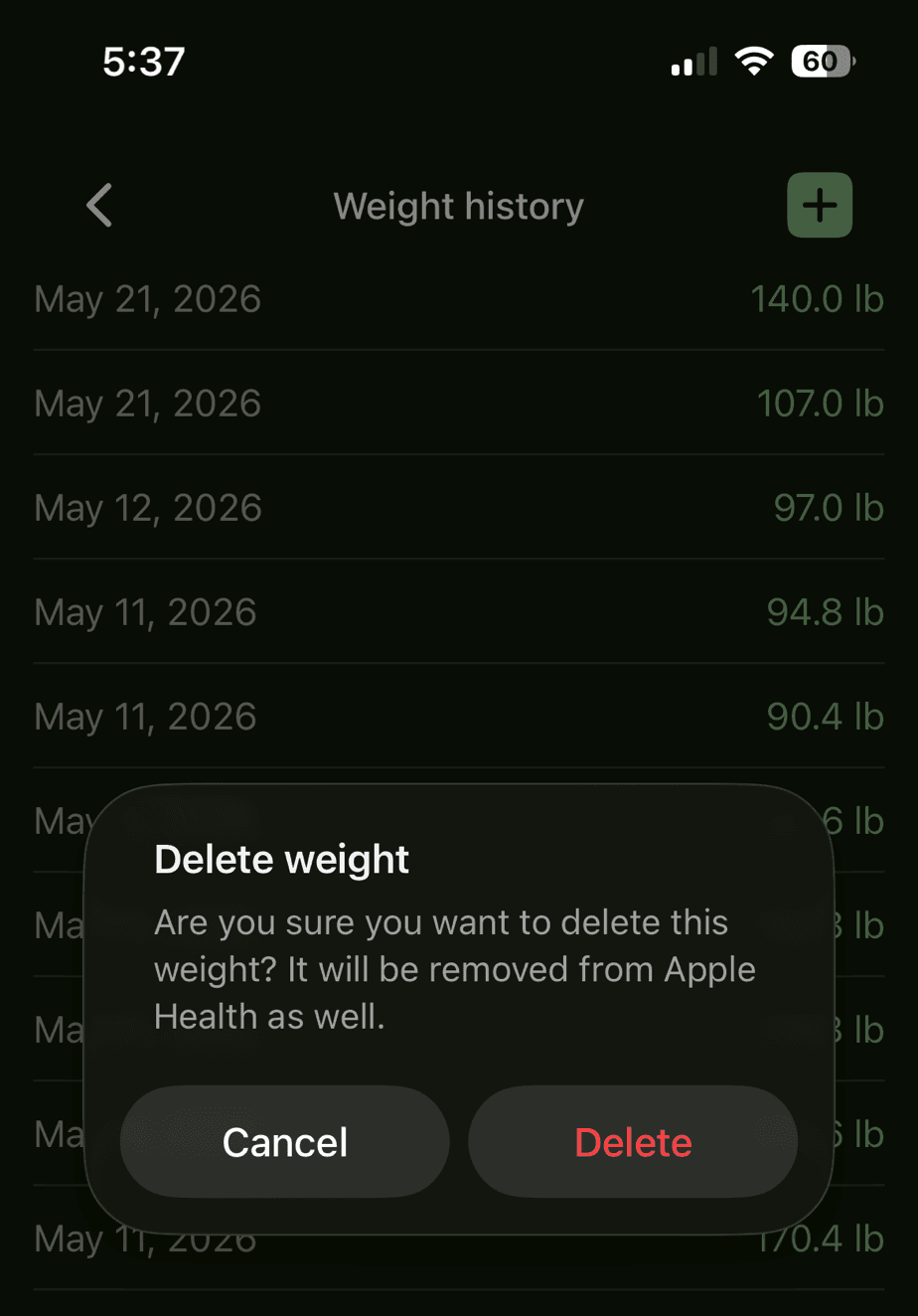
A "Delete weight" confirmation will pop up. Tap "Delete" to permanently remove the entry (it will also be removed from Apple Health), or "Cancel" if you change your mind.
Good to know
- You can delete an entry from either the Weight screen or the full Weight history list — both work the same way.
- Because the entry is removed from Apple Health too, deleting it here keeps your data consistent across apps.
Need a hand? Email us and we'll help you out! We get back to most emails within hours.