How to change your starting weight
Your starting weight is the baseline Sage uses to calculate your total weight change and goal progress. Here's how to change it.
Before you start
Make sure you're on Sage Weight 1.6.0 or greater. If you don't see the screens below, update the app from the App Store.
Changing your starting weight doesn't add, edit, or delete any of your logged weights. It only changes the reference point used to calculate your progress, so you can switch it at any time.
Steps
Step 1
Open your profile
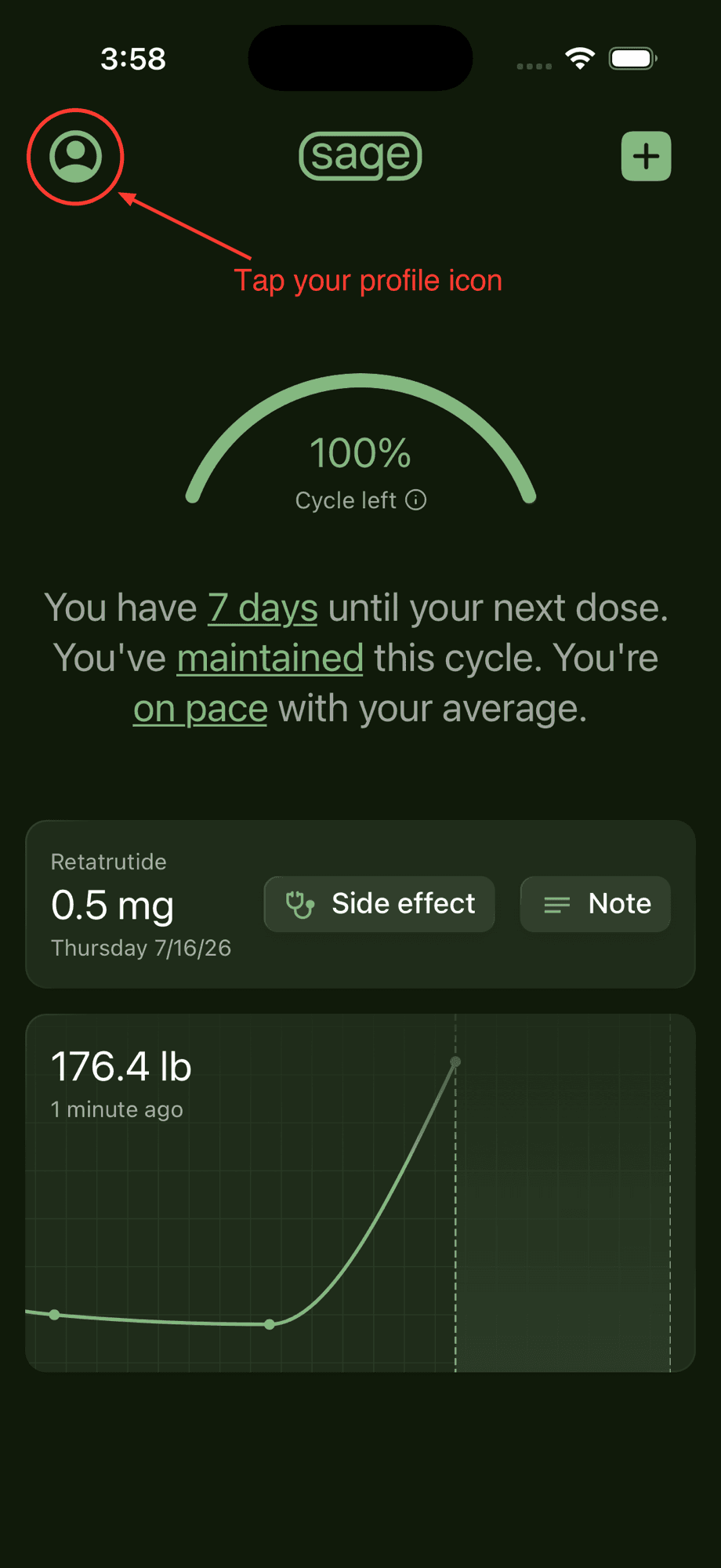
From the home screen, tap your profile icon in the top left corner.
Step 2
Go to Profile settings
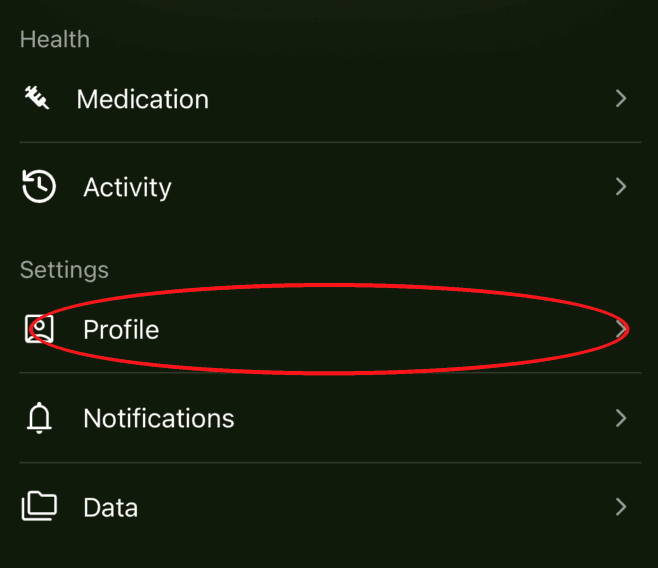
Scroll down to the "Settings" section and tap "Profile".
Step 3
Tap Starting weight
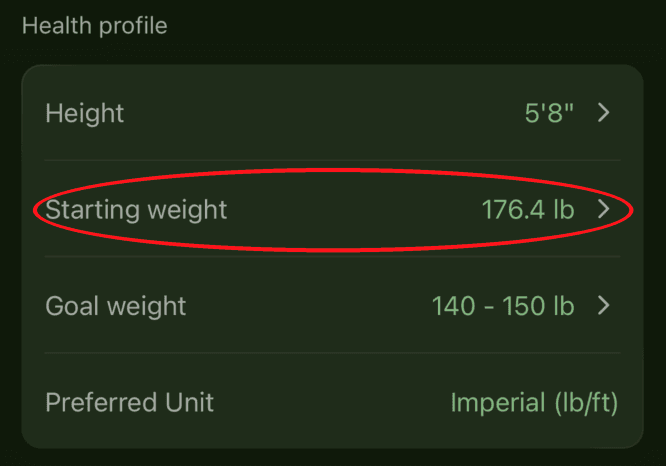
In the "Health profile" section, tap the "Starting weight" row. It shows your current starting weight on the right.
Step 4
Choose your starting weight
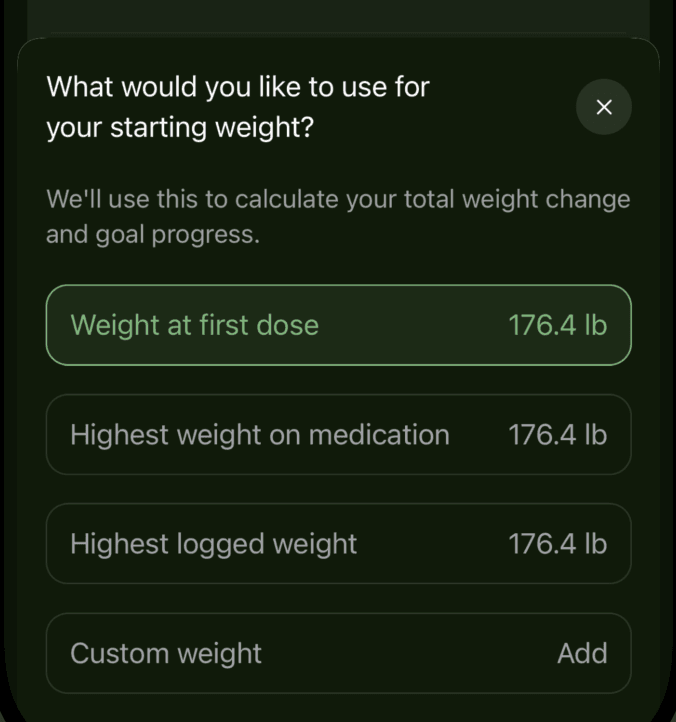
Pick which weight to use: your weight at first dose, your highest weight on medication, or your highest logged weight. You can also tap "Custom weight" to enter a different value.
Good to know
- Your total weight change and goal progress update immediately after you pick a new starting weight.
- Changing your starting weight never touches your logged weights. It only changes the baseline they're compared against.
Need a hand? Email us and we'll help you out! We get back to most emails within hours.