← Back to Help CenterHow-to 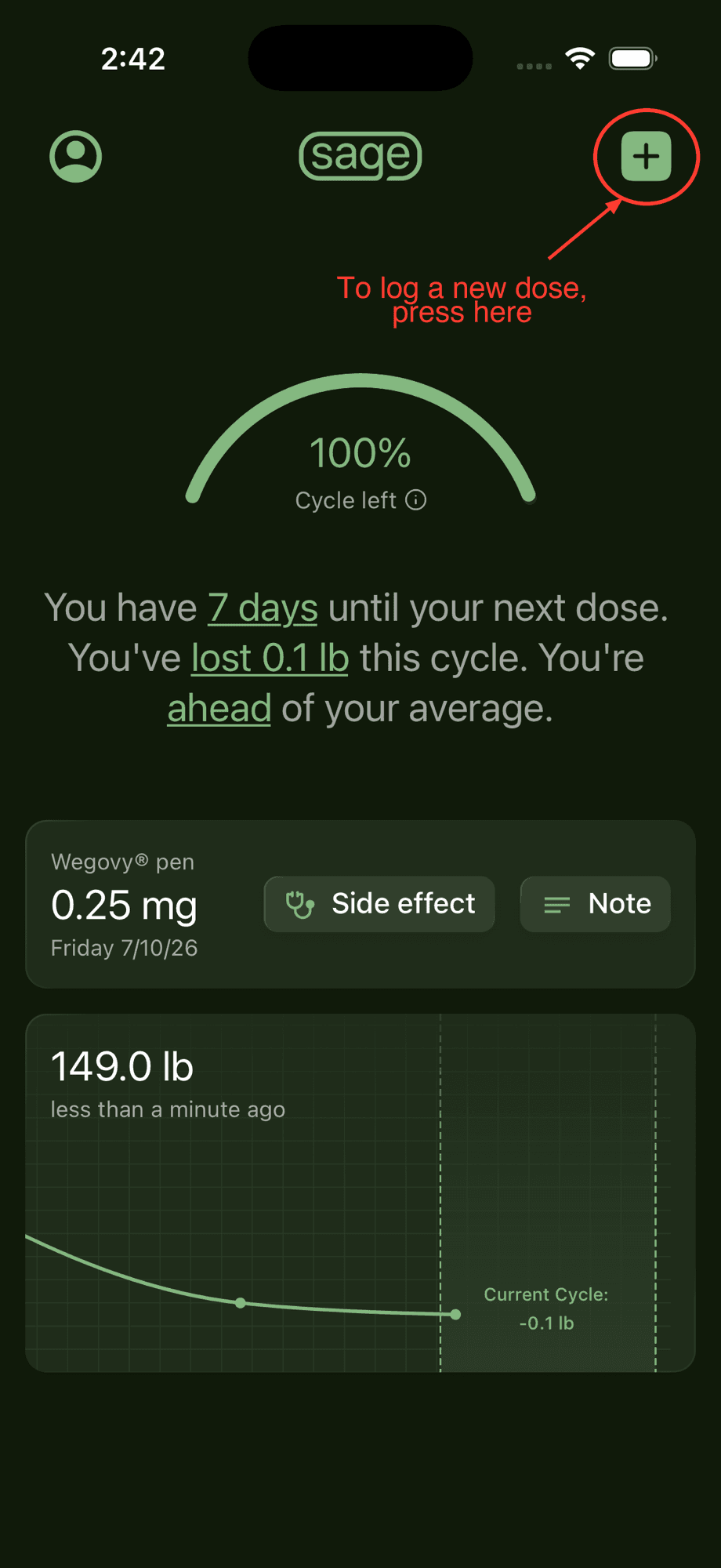
How to change medications
Switching to a different medication? Just log your next dose with the new medication and Sage remembers it from then on.
Steps
Step 1
Start logging a dose
From the home screen, tap the + button in the top-right corner.
Step 2
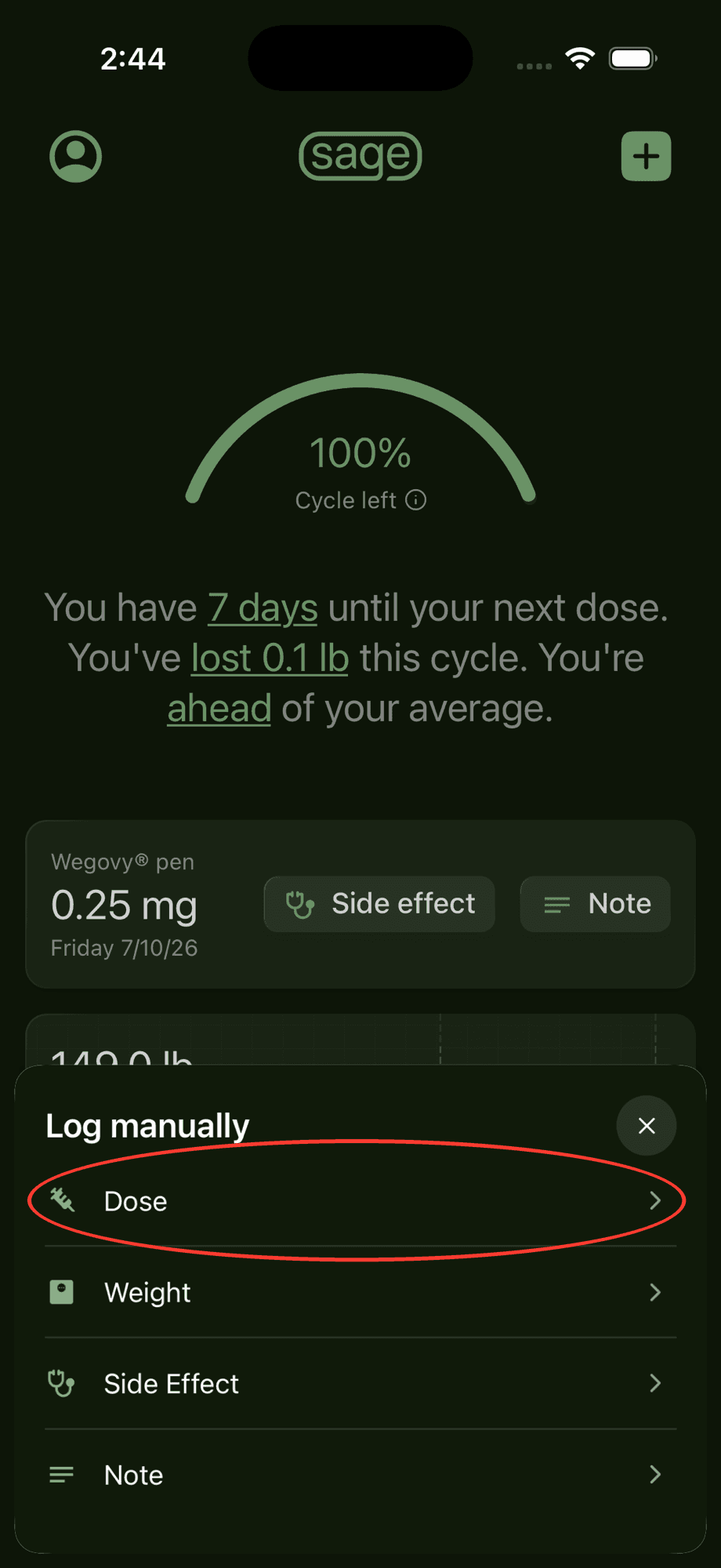
Choose "Dose"
In the "Log manually" menu that appears, tap "Dose".
Step 3
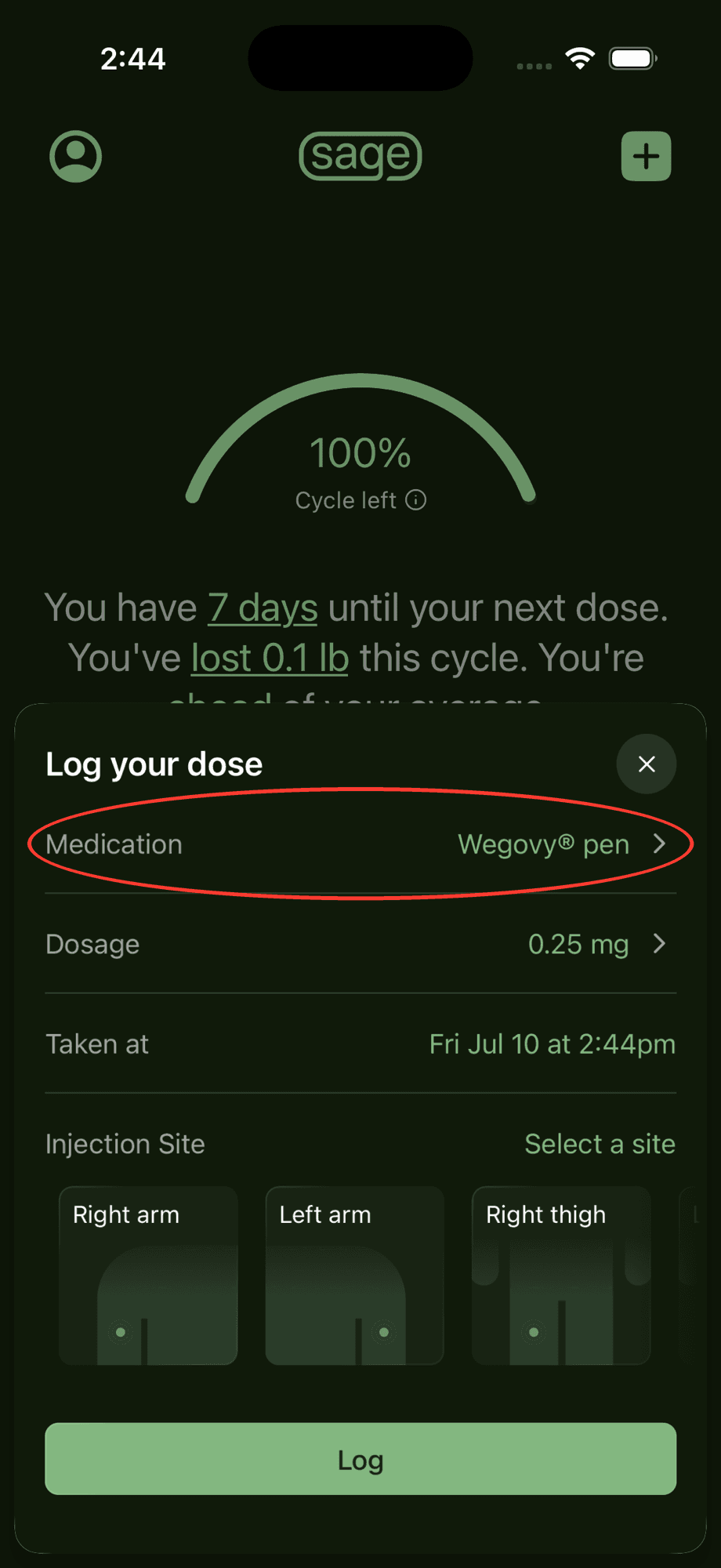
Tap the Medication field
On the "Log your dose" screen, tap the "Medication" row — it shows your current medication — to open the medication picker.
Step 4
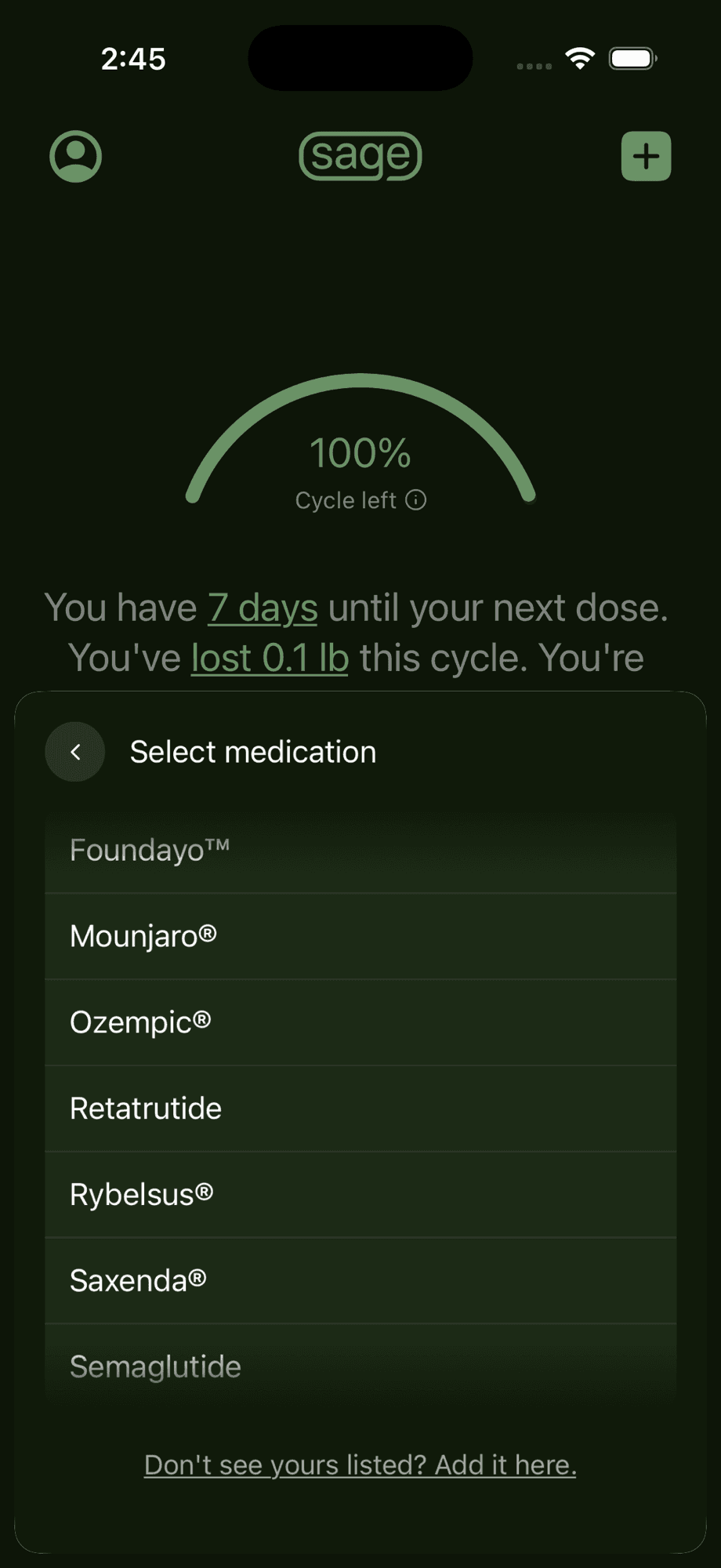
Select your new medication
Pick your new medication from the list. Don’t see yours? Tap "Add it here" at the bottom of the list.
Step 5
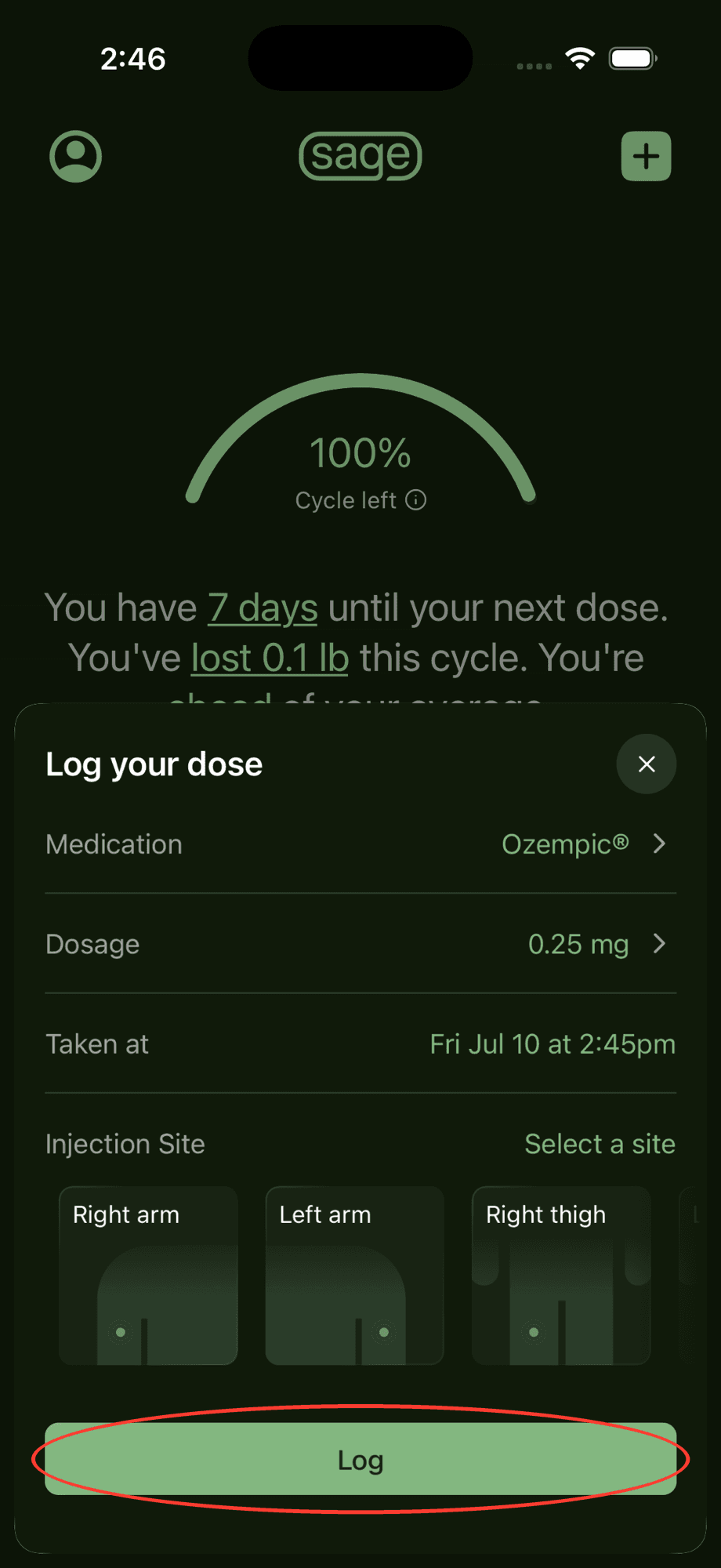
Log the dose
The Medication field now shows your new medication. Fill in the dosage, time, and injection site as usual, then tap "Log".
Good to know
- The next time you log a dose, your new medication will already be selected — no need to change it again.
- If your medication isn't in the list, use "Don't see yours listed? Add it here" at the bottom of the medication picker.
Need a hand? Email us and we'll help you out! We get back to most emails within hours.